Users and Locations
Keep Your District Organized
From assignments to support, everything starts with accurate user and location data.
Purpose
Connect People and Places
One to One Plus serves as the foundation for managing people and places across your district. By keeping user and location data synchronized, assignments, assets, and support requests stay accurate and easy to manage.
Overview
Manage Students, Staff, and Schools
Key Asset Management Capabilities
Automate District Data
- Sync students and staff automatically with SIS, SSO, and other integrations
- Keep user and location details consistent across systems
- Notify users when students enroll, withdraw, or change schools
- Ensure staff roles and permissions stay current
- Reduce errors and outdated data through automated synchronization
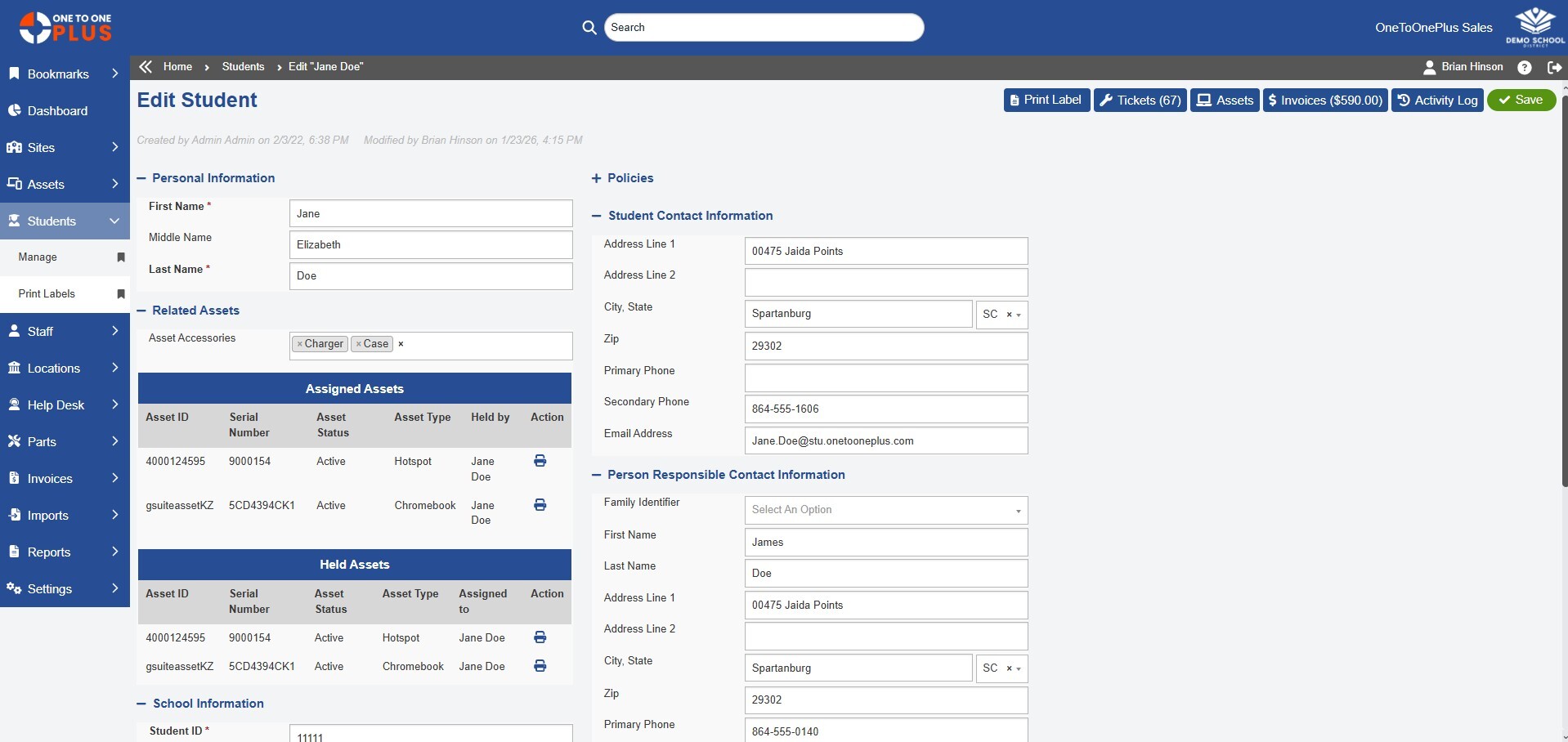
Manage Students, Staff, and Schools
- Maintain complete profiles for students and staff, including roles and contact information
- Group users by school, department, or other categories
- Keep data updated as students move through grade levels and staff change roles
- Provide role-based permissions for system access
- Eliminate manual recordkeeping with centralized updates
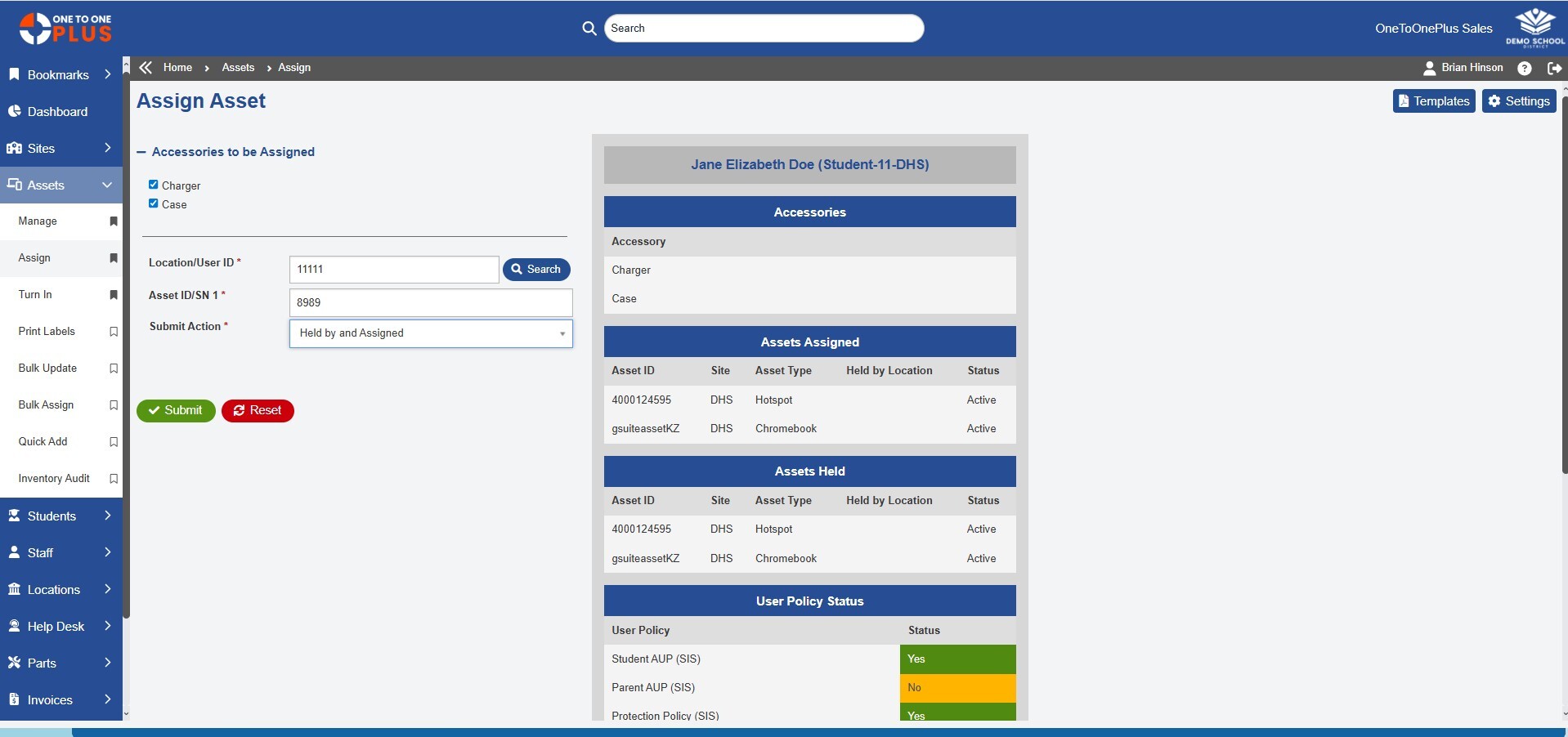
Monitor Device Assignments
- View devices and accessories assigned to students and staff
- Display user history including past assignments, losses, and incidents
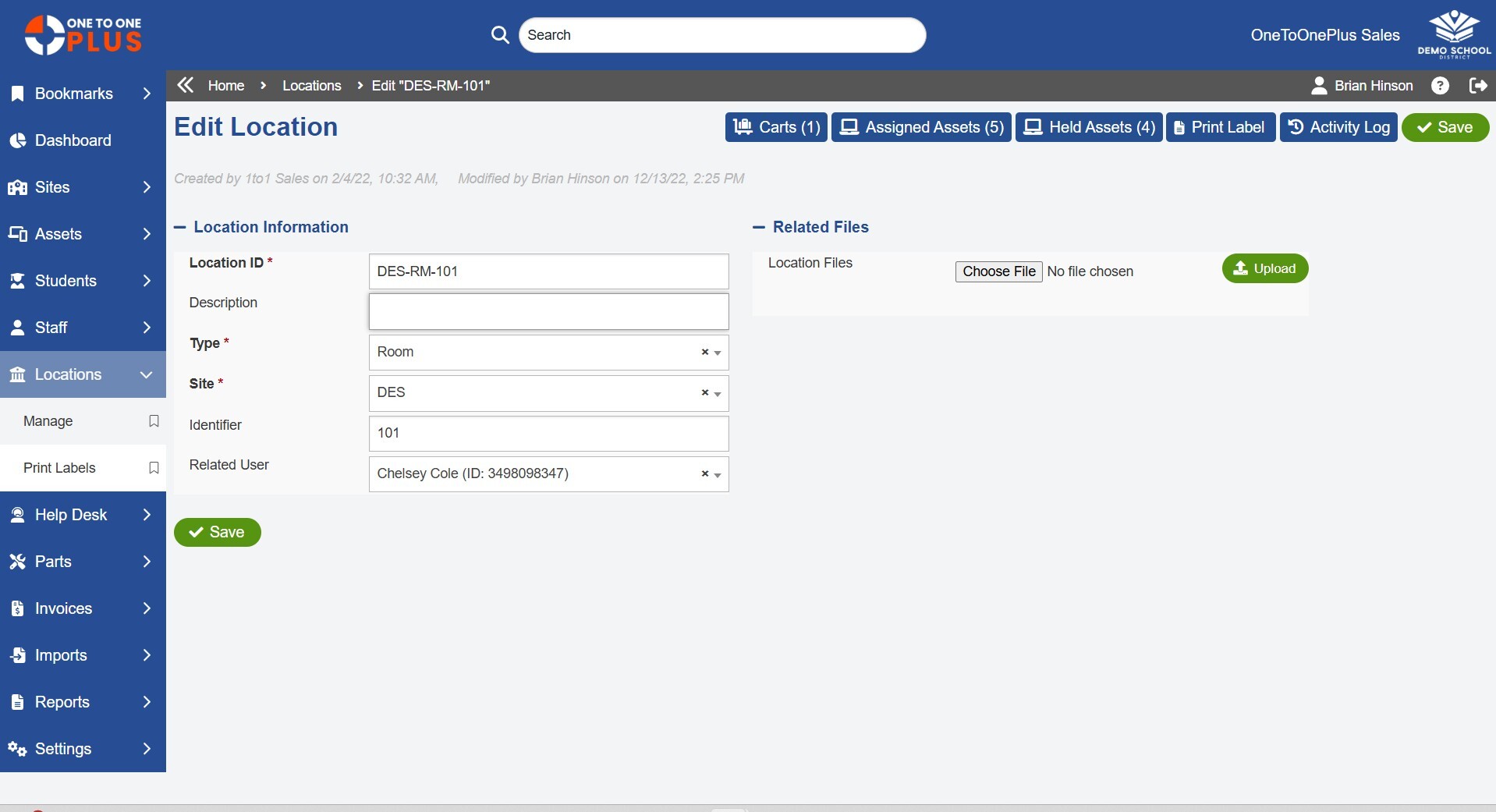
- Maintain buildings, rooms, carts, and specialty areas
- Organize locations for audits, inventory checks, and reporting
- Assign devices, inventory, or loaner pools to specific locations or schools
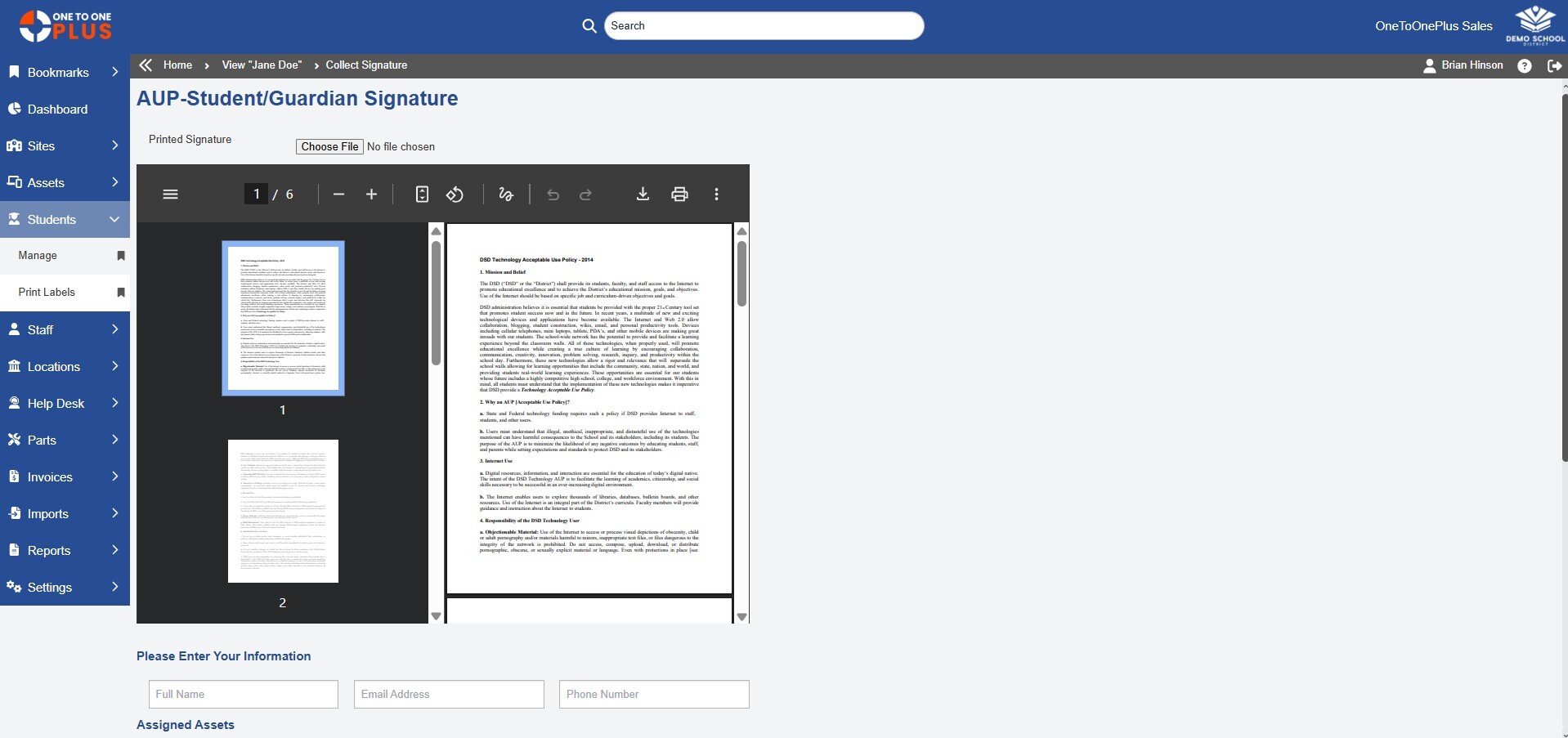
Capture Electronic Signatures
- Easily collect required forms from students, staff, or responsible parties
- Capture signatures for handbooks, AUPs, device agreements, insurance, and other forms
- Track completion status to quickly see who has or hasn't signed
- Store signed documents within each user’s profile for easy access
- Eliminate paper forms and manual processes
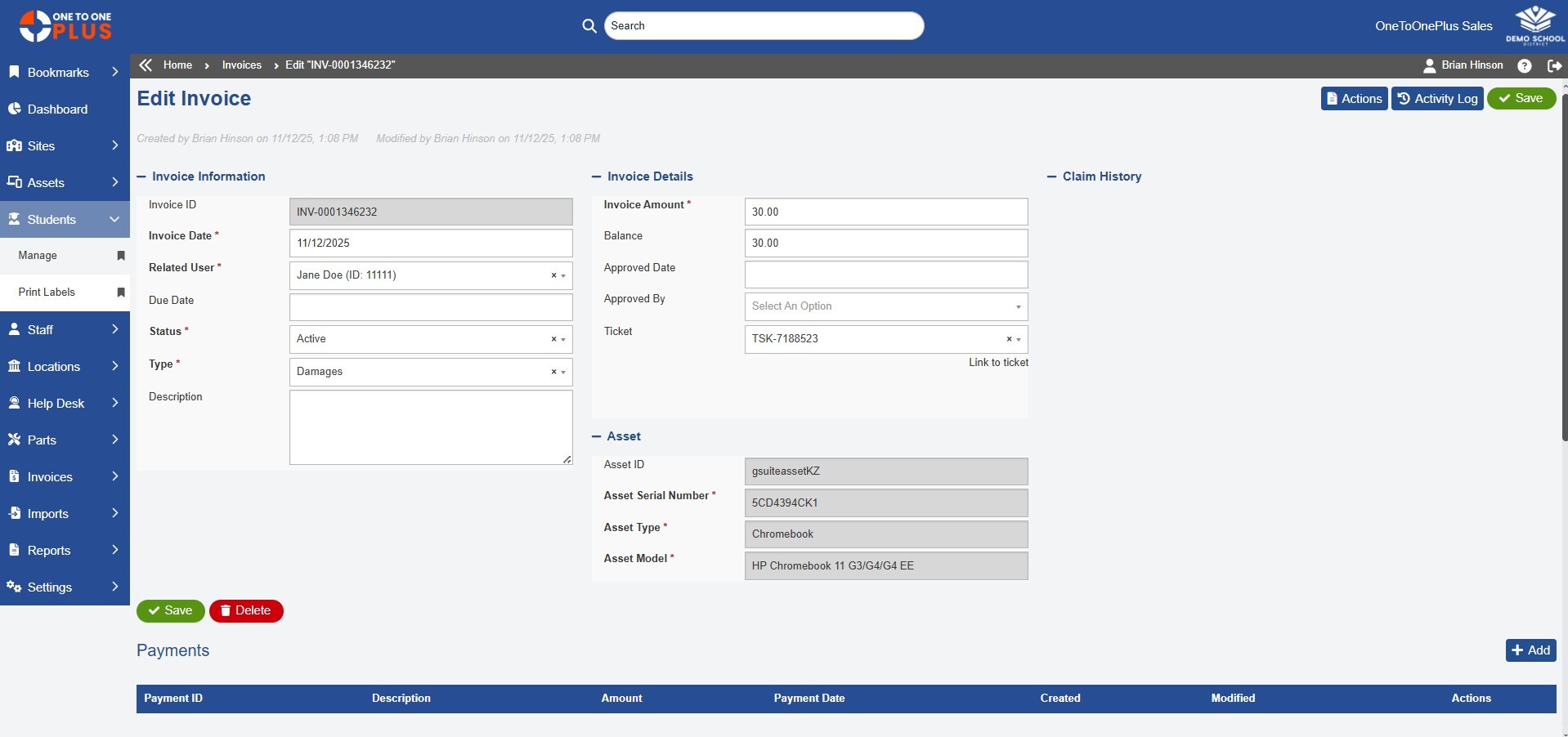
Generate Damage and Loss Invoices
- Create invoices directly from incidents, repairs, or device check-in processes
- Increase speed and accuracy by auto-populating user information, fees, and device details
- Apply insurance coverage rules to determine what a user owes
- Track outstanding balances and payment history
- Enable online payment options
Update
Keep Your Data in Sync
Our system integrations ensure your user information stays up to date with your student information system, HR system, and authentication providers. Automated updates reduce errors, eliminate duplicate entry, and keeps the software aligned with district changes.
Locate
Track Every Device
Know instantly which user or location a device is assigned to at any given time. One to One Plus tracks every change, giving your team clear visibility and accountability across all devices, users, and campuses.
Centralize
Collect, Track, and Bill
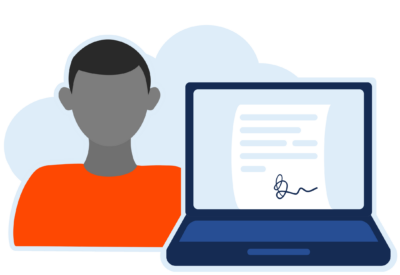
Centralize electronic signature collections, insurance tracking, and invoicing in one seamless system. With automated updates and clear historical records, your team always knows what’s completed, what’s owed, and what still needs attention.
Solution
Everything Works Together
One to One Plus combines essential K-12 technology management with advanced tools such as invoicing, parts tracking, and e-signatures.


Reviews
Our Customers Say It Best
“One to One Plus allows our entire team see everything in one place which has been incredibly helpful.”

Cathie Brock
Technology Specialist
Franklin County SD
“One to One Plus streamlined the process of tracking and checking in and out computers to students and teachers.”

Daniel Newman
Database Analyst
Hamblen County BOE
“One stop shopping for all our device tracking and management needs.”
Gary Lambert
Director of IT
Beekmantown CSD
“I can turn in a device, create a ticket and invoice for damages all in the same spot and they are all linked to make my time more efficient.”

Karen Adsitt
Technical Support Manager
Jarrell ISD
“One to One Plus helped us unify our various inventory methods in one place. This allowed easy access to important information for our entire organization.”

Jason Paddock
Director of Inst. Tech
Spartanburg SD 2
“This platform is clearly designed for K-12 environments, making it intuitive for our staff and students.”
Rick Gangwer
System Admin
Beekmantown Central SD
Your Simpler System Starts Here
Get a firsthand look at the platform that helps K-12 districts save time, reduce costs, and work smarter.

Custom Demo
Let our team show you how the software can meet your district’s specific needs.

Quick Tour
Watch short, step-by-step tours to quickly understand how One to One Plus works.

Request Pricing
Let our team provide a quote customized specifically for your school system.
Frequently Asked Questions
What are users and locations in One to One Plus?
Users and locations are the students, staff, schools, rooms, carts, and other places connected to devices and assets in One to One Plus. This helps K-12 technology teams track who has what, where assets are located, and how devices move across the district.
How does One to One Plus help schools manage student and staff records?
One to One Plus helps schools manage student and staff records by centralizing user profiles, roles, contact details, assignments, and history in one system. Districts can keep user data organized and connected to assets, tickets, invoices, and reports.
Can One to One Plus sync users from an SIS or SSO provider?
Yes. One to One Plus can sync student and staff data from systems such as SIS, SSO, Google, Microsoft, and other integrations to help keep records current and reduce manual updates.
Can devices be assigned to students, staff, rooms, and carts?
Yes. Devices and accessories can be assigned to students, staff members, buildings, rooms, carts, inventory areas, or other locations. This gives school districts clear visibility into where each device is and who is responsible for it.
How do users and locations improve device accountability?
Users and locations improve accountability by connecting each device to a person, school, room, cart, or location history. This helps districts reduce confusion, improve audit accuracy, and quickly identify missing or misplaced assets.
Does One to One Plus support electronic signatures?
Yes. One to One Plus can help districts collect and track electronic signatures for device agreements, handbooks, acceptable use policies, insurance forms, and other required documents.
Can One to One Plus track user history?
Yes. One to One Plus maintains user history connected to device assignments, past assets, tickets, losses, incidents, signatures, invoices, and other important records.
How do users and locations help with reporting?
Users and locations help districts generate more accurate reports by school, department, role, user group, room, cart, or assignment status. This gives technology teams better visibility into assets, support activity, and accountability across the district.