Users and Locations

Keep Your District Organized

From assignments to support, everything starts with accurate user and location data.

Purpose

Connect People and Places

One to One Plus manages users and locations in one system, simplifying assignments, assets, and help desk ticketing.

Overview

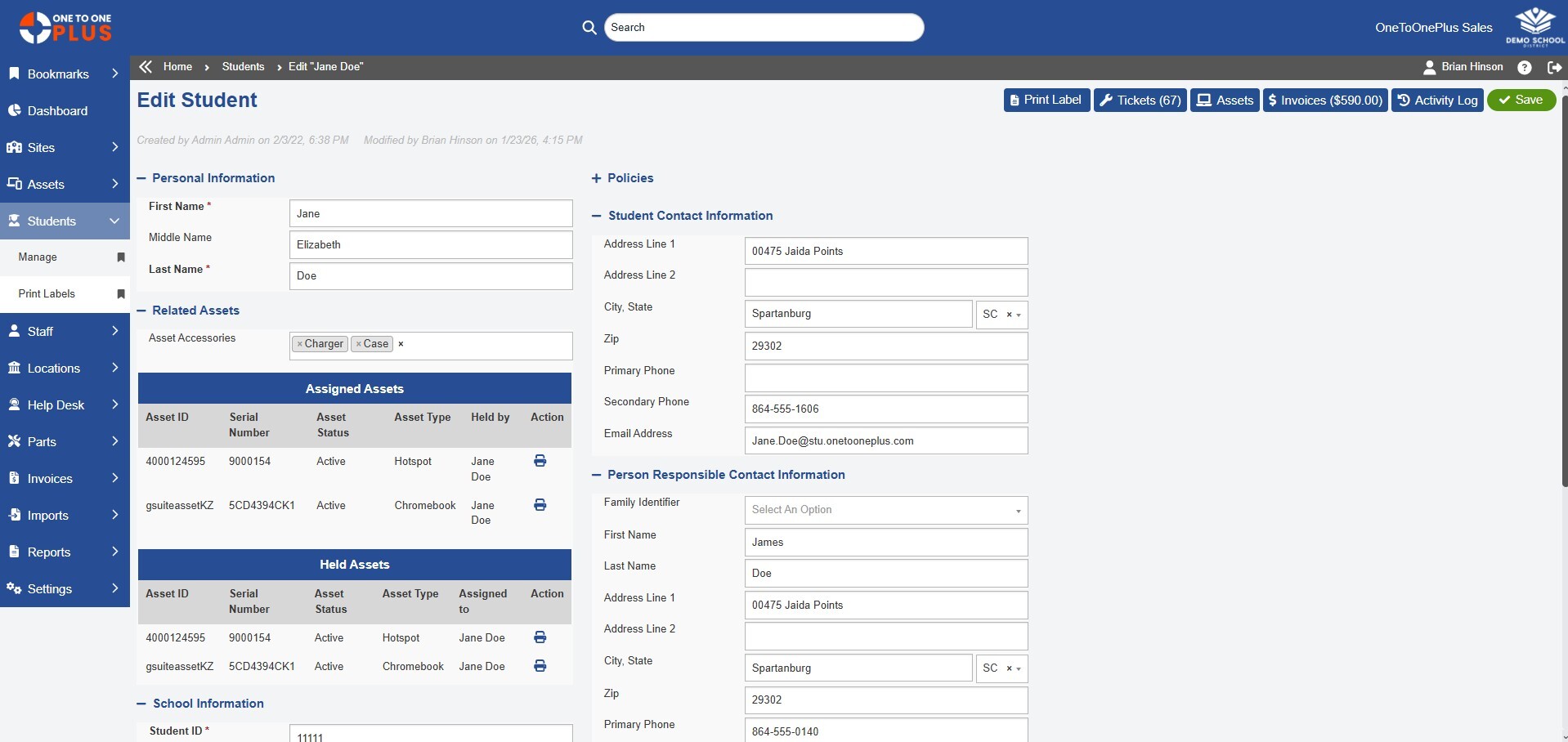
Manage Students, Staff, and Schools

Key Asset Management Capabilities

One to One Plus Chromebook Management

Update

Keep Your Data in Sync

Automated user syncing with SIS, HR, and authentication systems keeps data accurate and aligned with district changes.

K12 Chromebook Management

Locate

Track Every Device

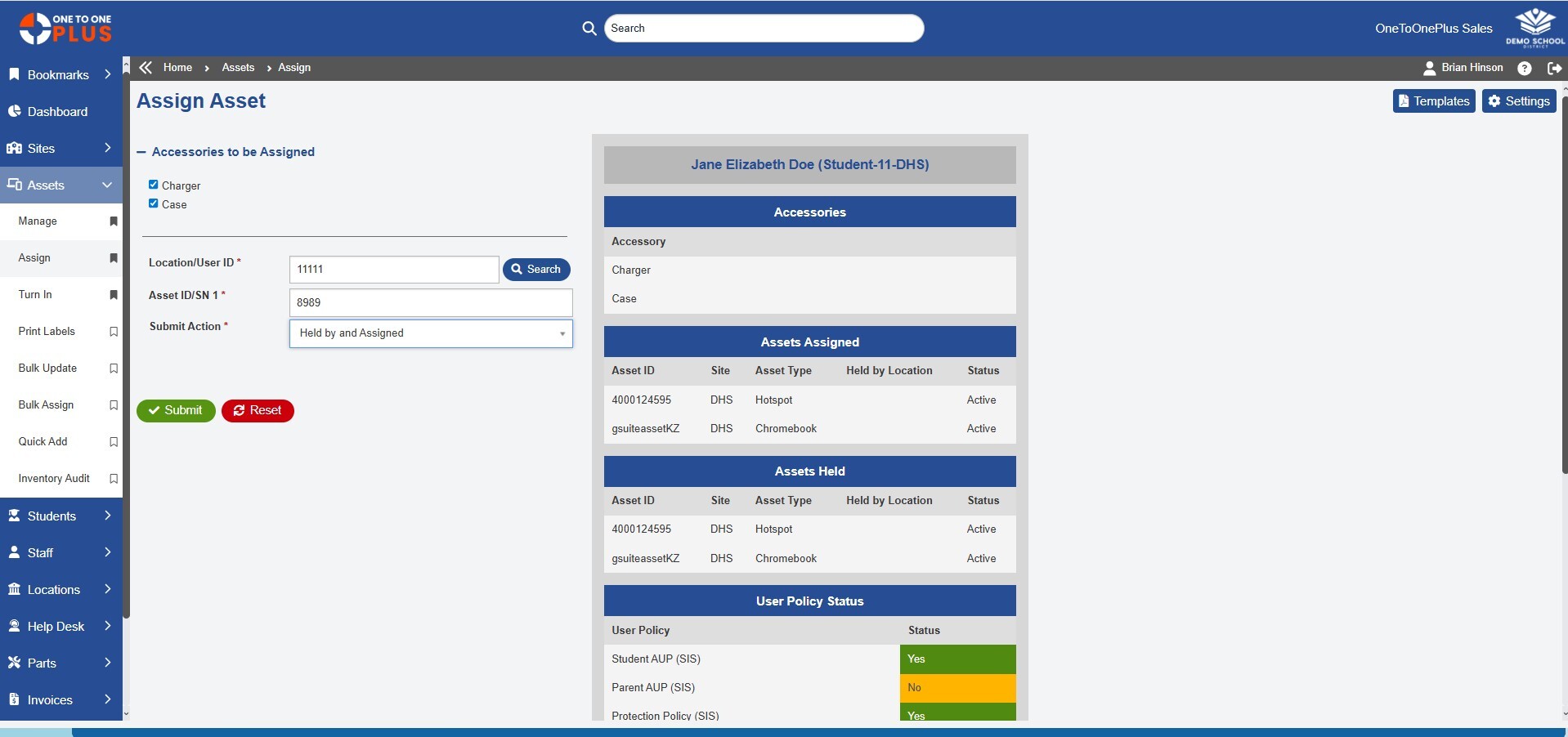
Always know where devices are assigned with complete tracking and clear accountability.

K-12 Chromebook Management

Centralize

Collect, Track, and Bill

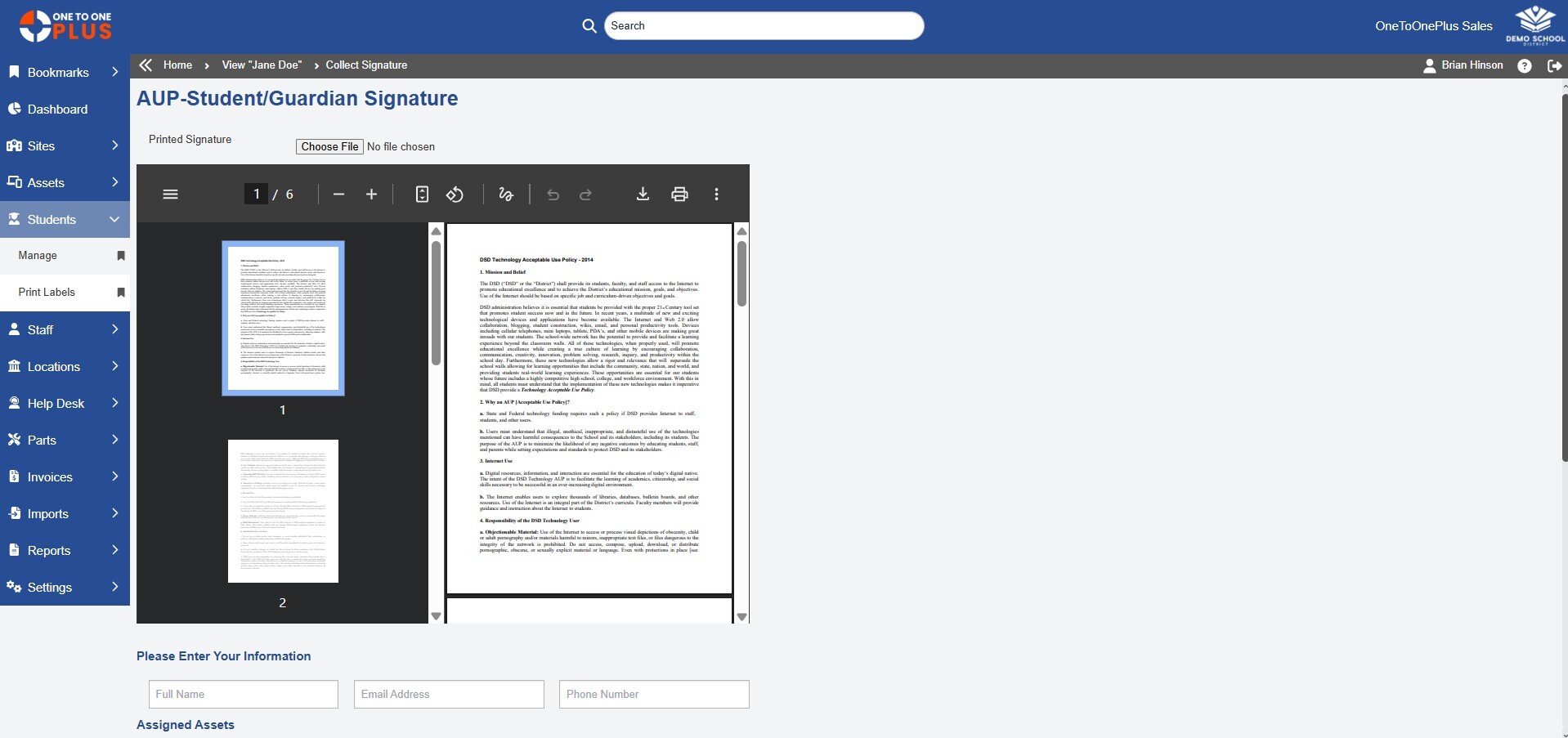
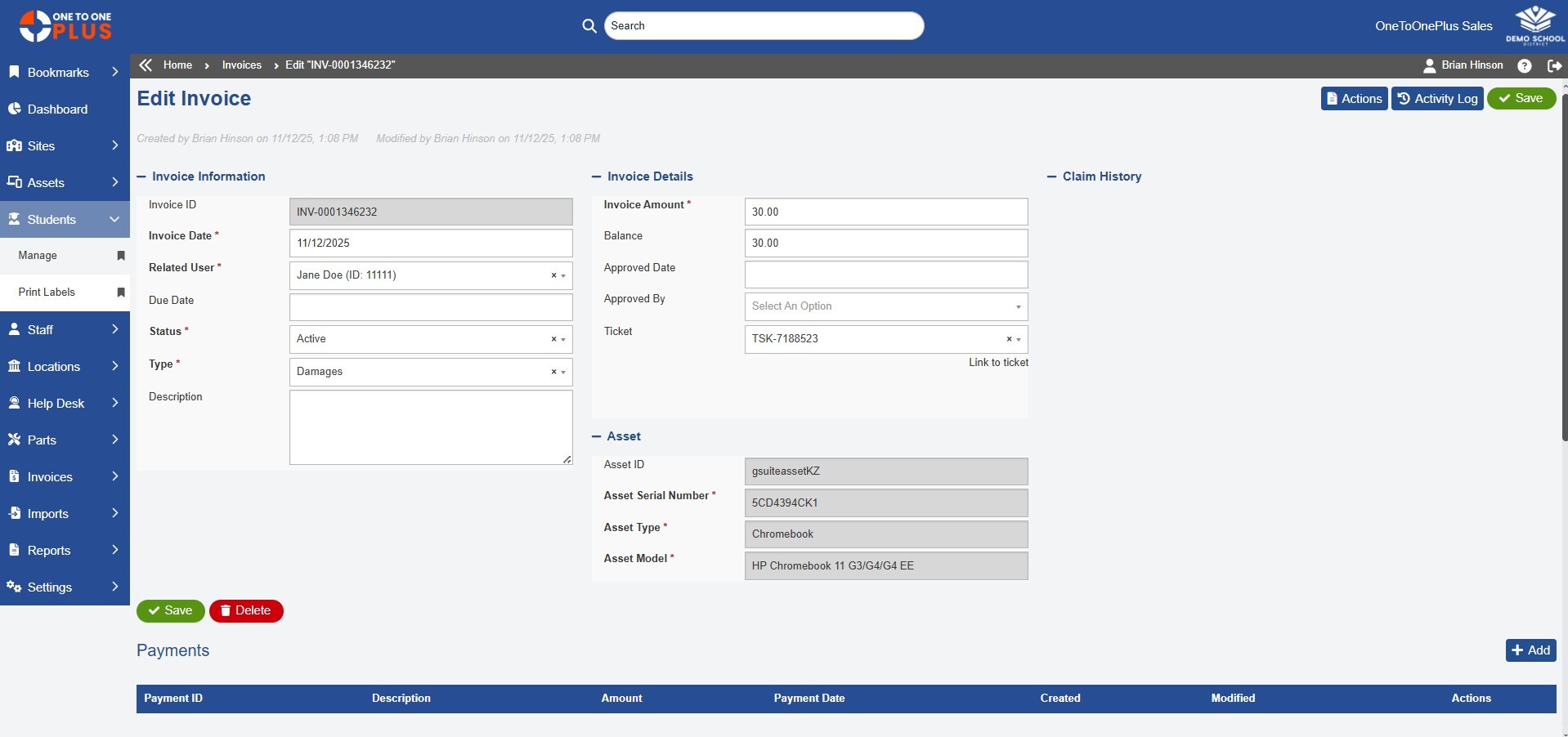
Keep e-signatures, insurance, and invoicing organized in one system, while tracking status and history.

Solution

Everything Works Together

One to One Plus combines essential K-12 technology management with advanced tools such as invoicing, parts tracking, and e-signatures.

laptop white 100x100

Asset Management

Import and manage all your assets
user.headset.white

Help Desk Ticketing

Simplify ticketing from open to close
invoice.dollar.white

Invoice and Payments

Track charges and collect payments
mobile.phone.white

Mobile App Access

Access essential tools on the go
pie.chart.white

Dashboard Reporting

Track your entire operation in real time

Reviews

Our Customers Say It Best

Your Simpler System Starts Here

Get a firsthand look at the platform that helps K-12 districts save time, reduce costs, and work smarter.
interview.users.orange2

Custom Demo

Let our team show you how the software can meet your district’s specific needs.
screen.play.orange

Quick Tour

Watch short, step-by-step tours to quickly understand how One to One Plus works.
invoice.dollar.orange

Request Pricing

Let our team provide a quote customized specifically for your school system.

Frequently Asked Questions

What are users and locations in One to One Plus?

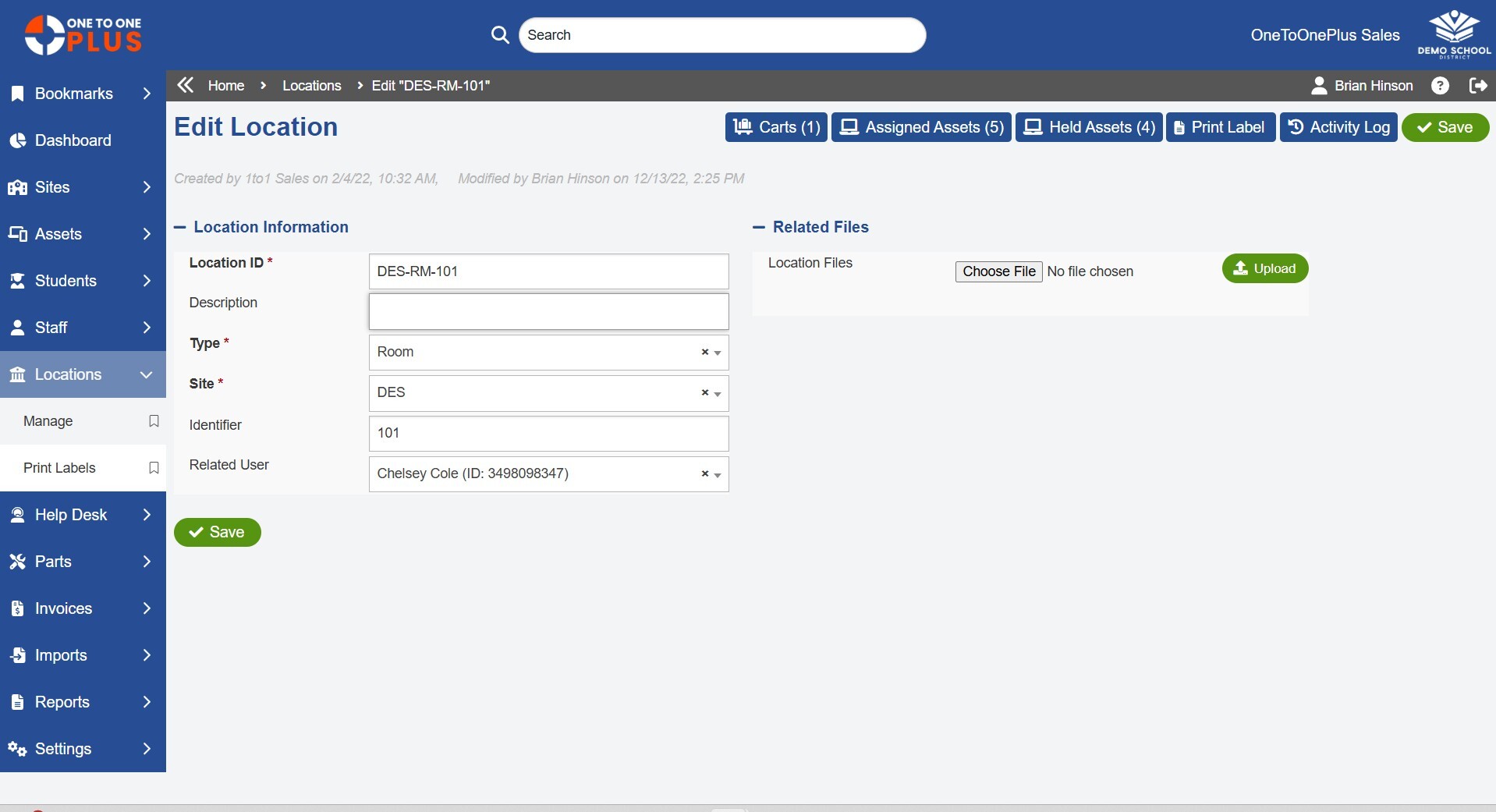
Users and locations are the students, staff, schools, rooms, carts, and other places connected to devices and assets in One to One Plus. This helps K-12 technology teams track who has what, where assets are located, and how devices move across the district.

How does One to One Plus help schools manage student and staff records?

One to One Plus helps schools manage student and staff records by centralizing user profiles, roles, contact details, assignments, and history in one system. Districts can keep user data organized and connected to assets, tickets, invoices, and reports.

Can One to One Plus sync users from an SIS or SSO provider?

Yes. One to One Plus can sync student and staff data from systems such as SIS, SSO, Google, Microsoft, and other integrations to help keep records current and reduce manual updates.

Can devices be assigned to students, staff, rooms, and carts?

Yes. Devices and accessories can be assigned to students, staff members, buildings, rooms, carts, inventory areas, or other locations. This gives school districts clear visibility into where each device is and who is responsible for it.

How do users and locations improve device accountability?

Users and locations improve accountability by connecting each device to a person, school, room, cart, or location history. This helps districts reduce confusion, improve audit accuracy, and quickly identify missing or misplaced assets.

Does One to One Plus support electronic signatures?

Yes. One to One Plus can help districts collect and track electronic signatures for device agreements, handbooks, acceptable use policies, insurance forms, and other required documents.

Can One to One Plus track user history?

Yes. One to One Plus maintains user history connected to device assignments, past assets, tickets, losses, incidents, signatures, invoices, and other important records.

How do users and locations help with reporting?

Users and locations help districts generate more accurate reports by school, department, role, user group, room, cart, or assignment status. This gives technology teams better visibility into assets, support activity, and accountability across the district.