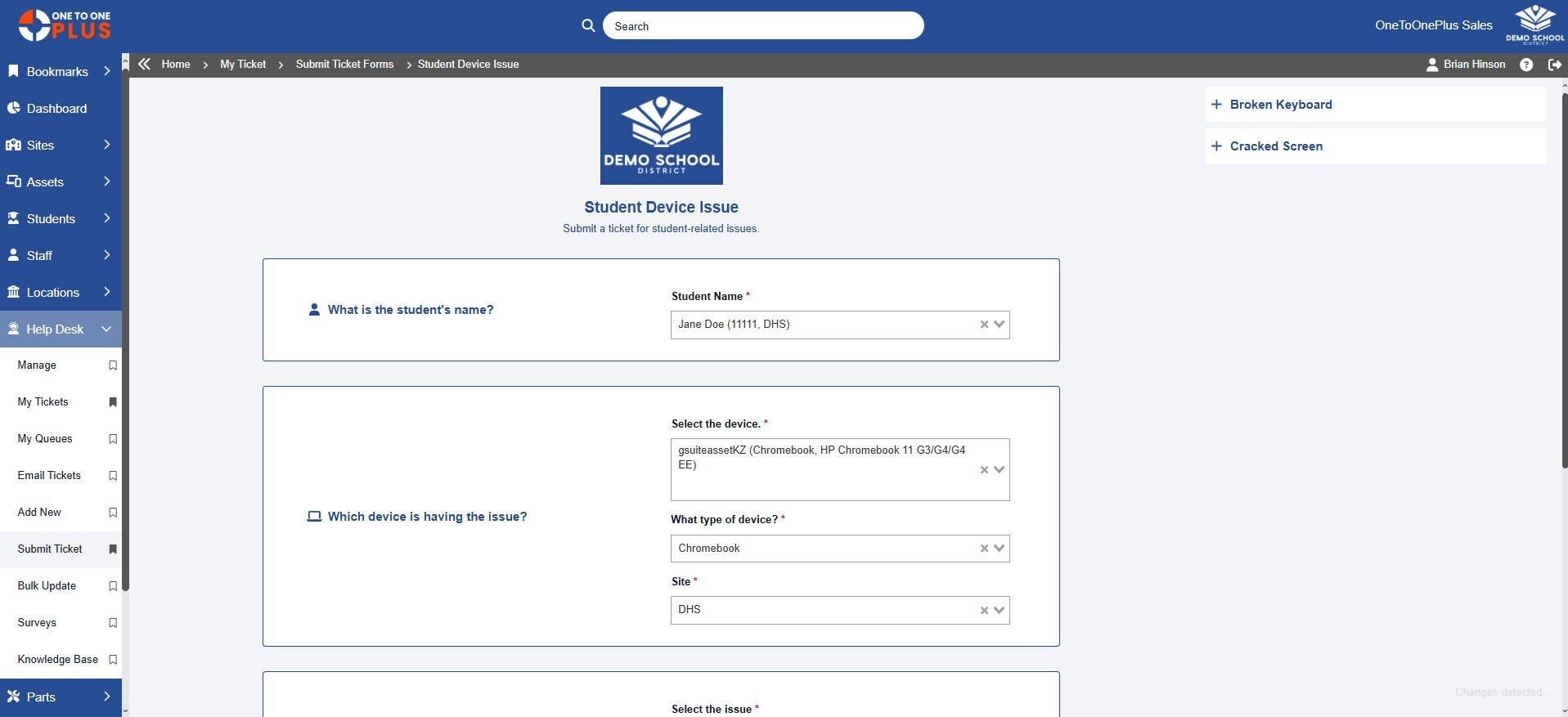
Get the Information You Need
- Customize ticket entry forms
- Enable ticket creation from email
- Capture the details your team needs upfront
- Simplify request for end users
- Restrict entry forms by user groups

Help Desk Process K-12 Chromebook management Chromebook management for schools, chromebook management software for schools, K12 chromebook management, K-12 chromebook management software, and K12 chromebook management software.
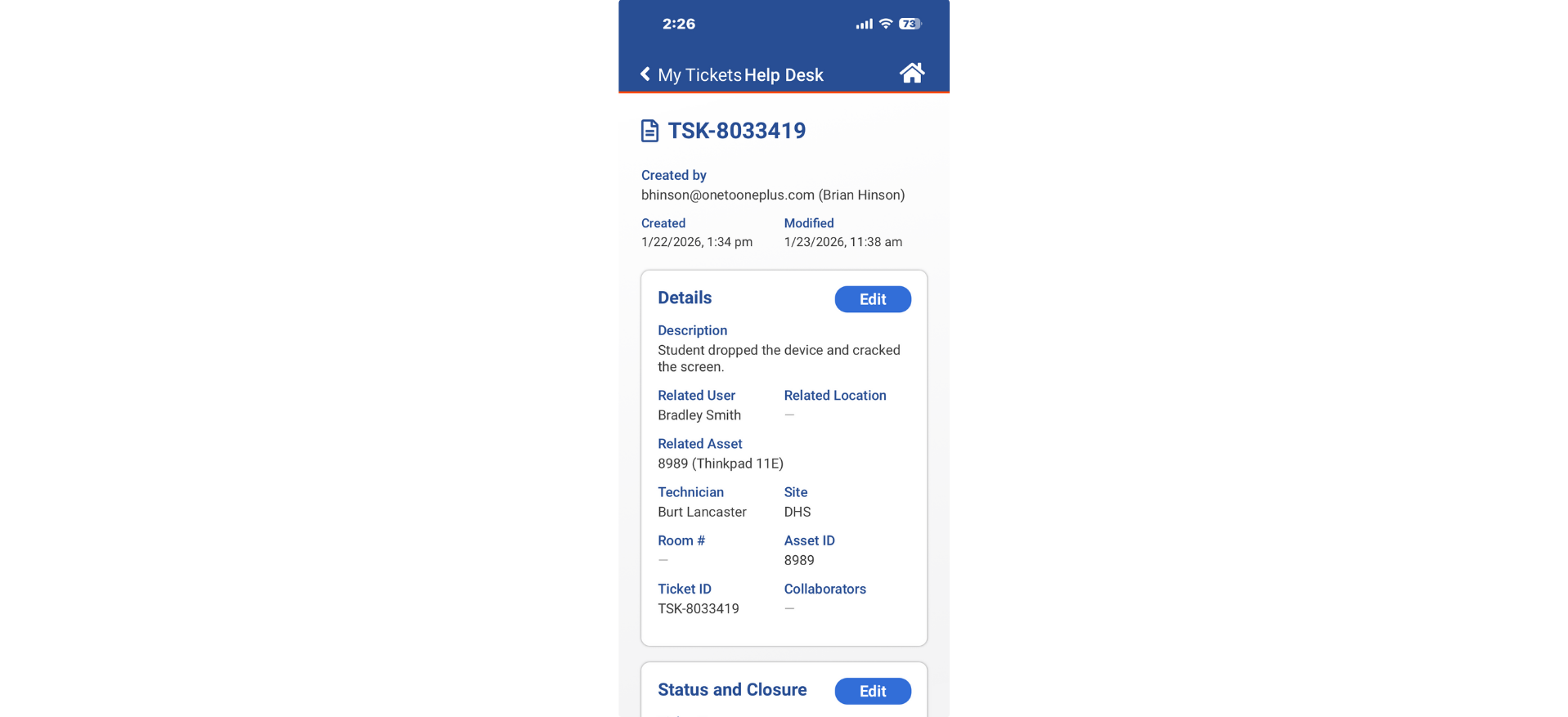





“One to One Plus streamlined the process of tracking and checking in and out computers to students and teachers.”

Daniel Newman
Database Analyst
Hamblen County BOE
“One to One Plus has streamlined our tech management by combining ticketing with our inventory.”

Karin Stuckart
Help Desk Tech
Indian Community School
“One to One Plus makes keeping track of assets and invoices easy!”

Tracy McGill
Technology Tech II
Scotland County SD
“One to One Plus allows our entire team see everything in one place which has been incredibly helpful.”

Cathie Brock
Technology Specialist
Franklin County SD
“One stop shopping for all our device tracking and management needs.”

Gary Lambert
Director of IT
Beekmantown CSD
“One to One Plus helped us unify our various inventory methods in one place. This allowed easy access to important information for our entire organization.”

Jason Paddock
Director of Inst. Tech
Spartanburg SD 2


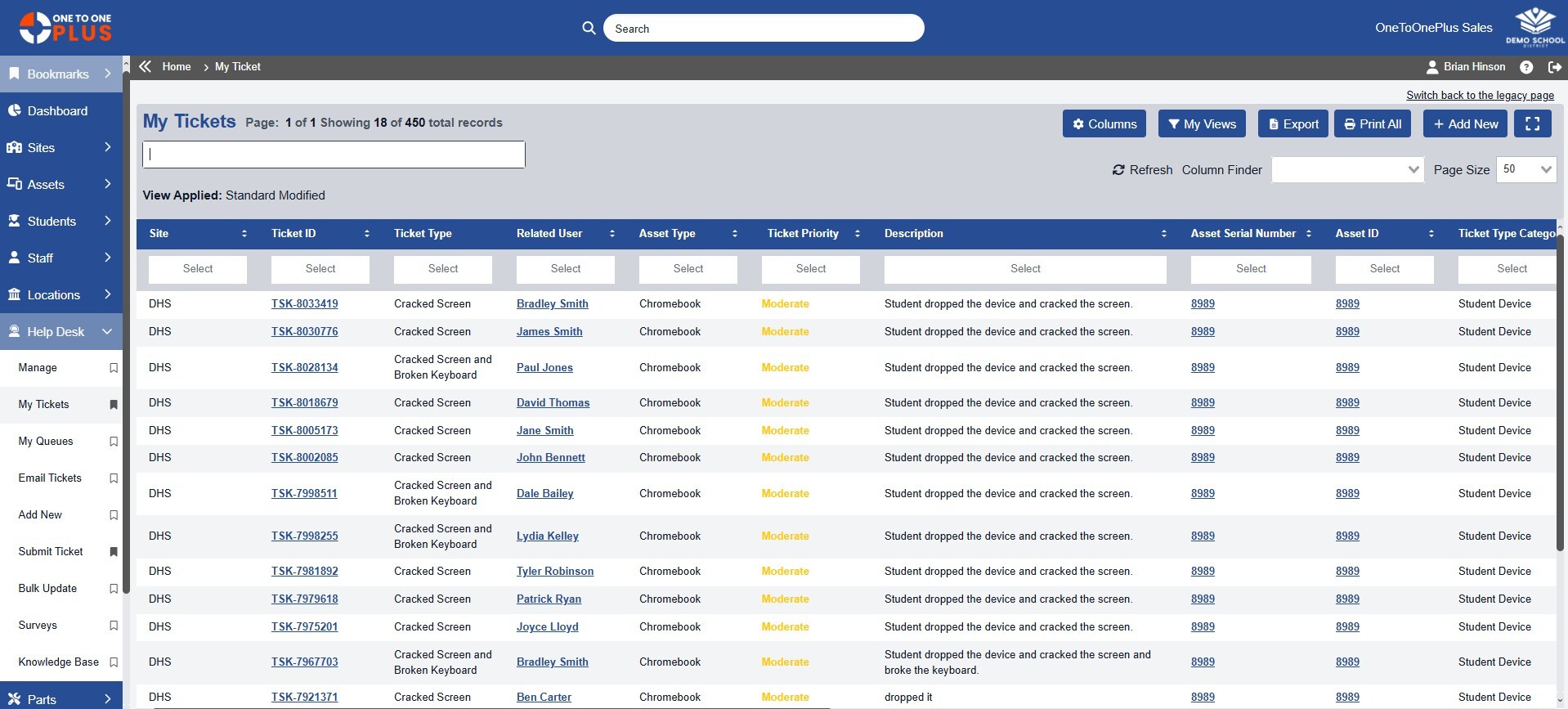
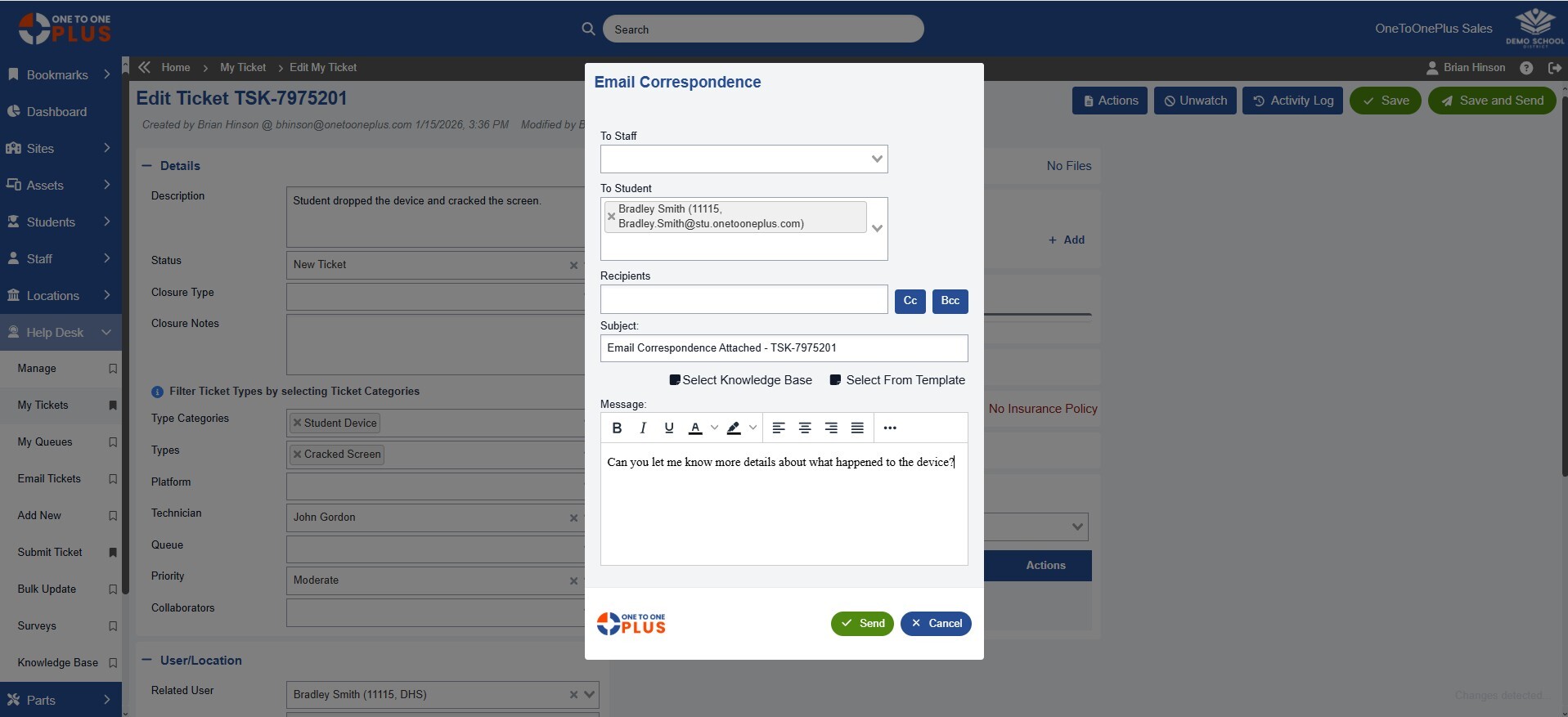
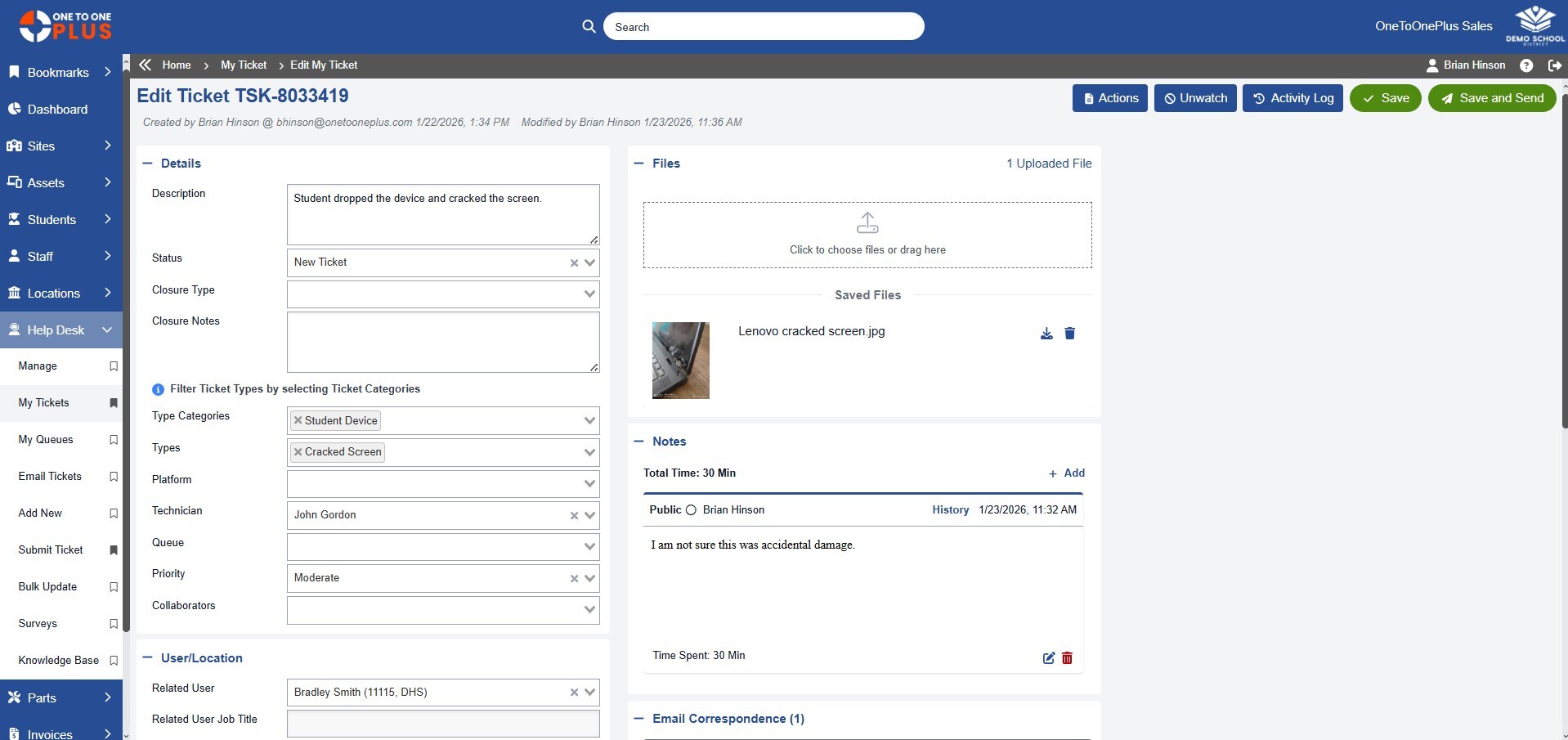
One to One Plus includes help desk software for schools that allows students, teachers, and staff to submit support tickets while enabling K-12 IT teams to assign, manage, and resolve issues efficiently.
Yes. Users can submit help desk tickets from desktops, laptops, tablets, and mobile devices, making it easy for school staff and students to request support from anywhere.
Yes. One to One Plus automates ticket routing and assignment based on issue type, location, technician, or workflow rules, helping school districts improve response times and efficiency.
Yes. K-12 IT teams use One to One Plus to automate ticket workflows, notifications, routing, and status updates to reduce manual work and improve operational efficiency.
Yes. The One to One Plus mobile app allows school district technicians to update tickets, scan devices, add notes, and manage repairs directly from mobile devices.
Yes. One to One Plus provides dashboards and reporting tools that help school districts monitor ticket volume, technician performance, response times, and support trends.
Yes. School districts can track parts inventory and associate repair parts directly with help desk tickets and device records.
Yes. Every help desk ticket can be linked directly to a device or asset record, giving K-12 technology teams complete visibility into repair and support history.
Yes. One to One Plus allows school districts to customize ticket fields, workflows, and forms to match their specific K-12 support processes.
One to One Plus improves response times by automating workflows, centralizing support communication, and providing K-12 IT teams with instant access to ticket and device history.